In this blog, I will guide you through the entire process of applying for the CAPM exam. My goal is to make the process clear and simple.
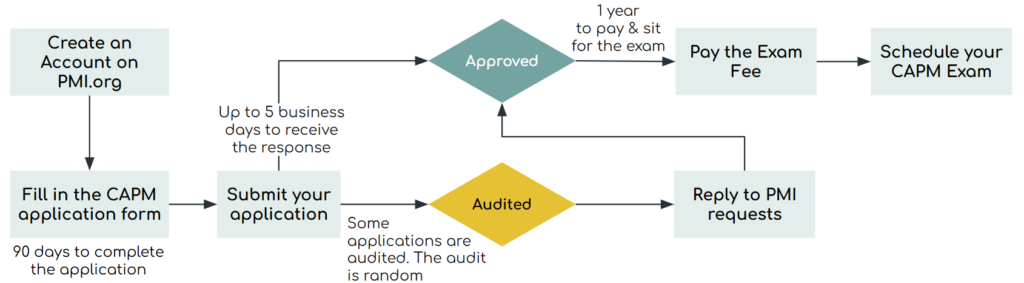
By completing these steps, you’ll be prepared to apply for the CAPM® exam and reach your goal of passing it.
1. Check Your Eligibility
Before applying for the CAPM exam, make sure you meet PMI®’s eligibility requirements, which include:
- Holding a high school diploma, an associate’s degree, or an equivalent secondary education qualification.
- Completing at least 23 hours of project management education before taking the exam.

2. Apply for the CAPM
1. Start Your Application
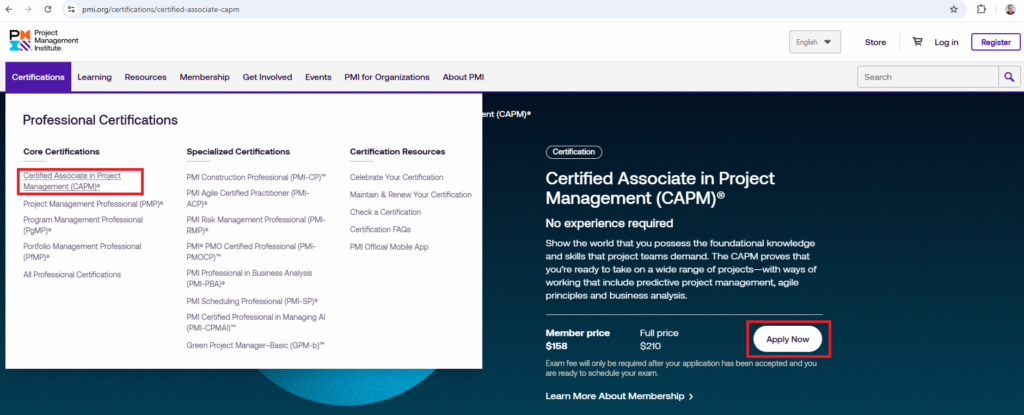
Go to the CAPM® certification page on the PMI® website and click “Apply Now.” If you don’t already have a PMI® account, you will need to create one first.
2. Enter Your Academic Education
In this step, you enter your education details and your project management training so PMI® can confirm that you meet the eligibility requirements.
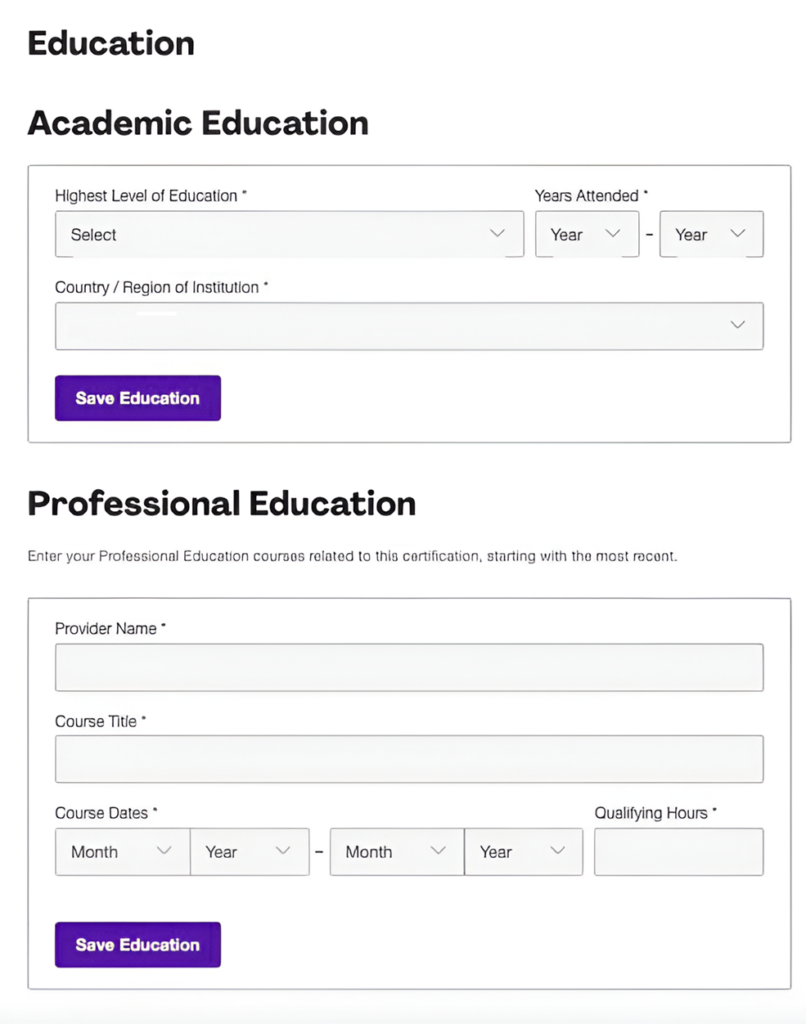
Select your highest level of education from the dropdown menu. The options include:
- High School Diploma or equivalent
- Associate’s Degree
- Bachelor’s Degree
- Master’s Degree or higher
3. Enter Your Project Management Training (Professional Education)
Next, you must enter the project management training you completed to meet the 23 contact hours requirement:
- Provider Name: Enter the training provider (e.g., PMI, Udemy, Coursera, training agency).
- Course Title: Enter the exact name of the course you took.
- Course Dates: Select the start and end dates of the course.
- Qualifying Hours: Enter the number of training hours.
4. Submit Your Application
Once you’ve entered all required information, submit your application for PMI® to review it. PMI® usually takes about 5 business days to review your application. If your application is selected for audit, you will receive an email notification shortly after submitting it; otherwise, you will be notified by email once your application is approved.
3. Pay the CAPM Exam Fees
Once your application has been reviewed and approved by PMI®, you will be prompted to proceed with the payment of the exam fee. The cost of the CAPM exam depends on several factors, including your country or region and whether or not you are a PMI® member.
PMI® membership can help lower costs, especially if you want free access to PMI publications (e.g., PMBOK, The PMI Guide to Business Analysis, and Agile Practice Guide) or to attend PMI events.
4. Schedule Your Exam
After paying the exam fee, you can schedule your CAPM® exam.
- Log in to your PMI® account and click “Schedule Exam”.
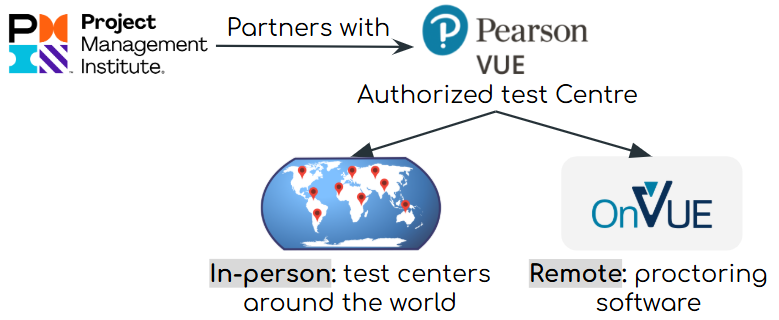
- Choose your exam format:
- Online proctored: Take the exam from home or office (make sure your system meets requirements).
- Test center: Take the exam at a nearby Pearson VUE location.
- Pick a date and time that works for you and confirm your appointment.
Follow these steps, stay prepared, and good luck on your CAPM® journey✌️